

Revealed: The 3 Hidden Traps Killing Your LinkedIn Ads
Most beginners waste 30-50% of their LinkedIn ad spend on features LinkedIn quietly turns on. Here's how to fix it in minutes.
James Green
New to LinkedIn Ads?
Start Here: Complete LinkedIn Ads Tutorial for Beginners
Before diving into these traps, make sure you understand the fundamentals. Our step-by-step guide covers account setup, targeting, budgets, and ad creation.
Start the Tutorial→What You'll Learn
- 1.The Audience Network trap – Why it burns money and how to switch it off
- 2.Audience Expansion trap – How LinkedIn silently broadens your targeting
- 3.Boring creative trap – The invisible killer of every beginner campaign
I've audited over 100 LinkedIn Ad accounts. These are the exact mistakes that ruin most campaigns before they even start.
Video Chapters
Live Examples
Real ad account screenshots showing exactly where these traps hide
Step-by-Step Fixes
Exactly where to click and what to turn off in Campaign Manager
100+ Account Insights
Patterns and data from auditing over 100 LinkedIn ad accounts
No obligation • 30-minute strategy call
Anyone who works at LinkedIn, you can come for me, but you know what you're doing and you know I'm right.
If you've ever wondered why your LinkedIn ads might feel expensive and not actually getting the results you want, it might not be your fault. LinkedIn has this sneaky habit of quietly turning things on in your campaign which sound like they might be beneficial to you, but actually are just draining your budget faster.
The Shocking Reality
90% of the ad accounts I audit fall into one of these three traps
Wasting 50%+ of their advertising spend unnecessarily
Some can be fixed in minutes by switching a single toggle
It's sad and disappointing that so many businesses fall into these traps. Two of the three hidden traps in this article are settings that LinkedIn makes you think might benefit your campaign, but you can turn off today and see your results improve massively overnight.
The third one is a trap and mistake that beginners, intermediates, and experts running LinkedIn ads often fall into, sometimes don't want to hear, but is a fundamental reason why they're not getting more leads more often.
New to LinkedIn Ads? You're Not Alone.
Most people reading this are either considering LinkedIn ads for the first time, or they've tried them and the results were disappointing. The good news? These traps affect everyone from beginners to agencies managing six-figure budgets.
Don't worry if LinkedIn ads feel complicated. The fixes I'm about to show you are simpler than you think. Two of them literally take 30 seconds. The third requires some creative thinking, but I'll walk you through exactly how to do it.
Once you've fixed these traps, see how one IT company doubled enquiries by reallocating just 10% of their budget to retargeting.
In this article, you'll discover:
- ✓Exactly where these hidden traps are in your campaign settings
- ✓How to avoid them in the future
- ✓How to make sure your next £500-£1,000 on LinkedIn ads isn't wasted
Free campaign audit • See exactly where your budget is going
Trap #1: The Audience Network Scam
Timestamp: 01:06
What LinkedIn Says:
"We're going to deliver you more impressions by reaching the same users you're targeting, but on different platforms, different devices, more placements across the internet."
What Actually Happens:
- ✗Ignores ALL your targeting parameters
- ✗Your specific job titles? Gone.
- ✗Your carefully uploaded CRM list? Ignored.
- ✗Your UK-only targeting? Welcome to worldwide clicks from Zimbabwe, Zanzibar...
Your Targeting Setup
- ✓ Specific job titles
- ✓ Senior decision makers
- ✓ Companies from your CRM
- ✓ UK only, 50-500 employees
- ✓ IT industry
Where Clicks Actually Come From
- ✗ Random countries worldwide
- ✗ Irrelevant job titles
- ✗ Bot traffic
- ✗ Spam sites
- ✗ Fake engagement metrics
"When we take on ad accounts from other businesses, we'll check the historic data and see that 60-70% of your budget was going to audience network and it's all trash."
The Evidence:
Google Analytics reveals the truth. Yes, the clicks look "cheap" when audience network is on, but they're 100% junk traffic. You'll see two types of bot behavior:
- Instant bounce: 0 seconds on site, immediately leaves
- Fake engagement: 200 pages visited, 25 minutes on site (obviously fake - no one reads 200 pages of your B2B website)
The Fix (You Can Do This TODAY):
- 1.Open LinkedIn Campaign Manager when setting up your campaign
- 2.Scroll through ALL campaign setup options (LinkedIn keeps moving this setting)
- 3.Find "Audience Network" and make sure it's UNTICKED
- 4.Double, triple, quadruple check before launching
Pro Tip: How to Audit Existing Campaigns
In Campaign Manager, check your metrics breakdown by "On Network" vs "Off Network" to see how much budget was wasted on audience network placements.
If You're New to LinkedIn Ads:
You might think "more impressions = more leads" so audience network sounds good. It's not. Think of it like paying for a billboard in London but LinkedIn puts it in Zimbabwe instead. Same price, zero relevant eyeballs. Always untick this box before launching your first campaign.
Trap #2: Audience Expansion
Timestamp: 04:59
This one isn't as sneaky or devilish as Audience Network, because theoretically it sounds like it could help. When you're using Meta advertising or Google advertising, they're quite good at finding people similar to your audience. Sadly, LinkedIn isn't as sophisticated as that.
| What It Claims | What It Actually Does |
|---|---|
| Find similar people to your audience | Ignores your targeting |
| Expand reach intelligently | Spends budget randomly |
| Works like Meta/Google lookalikes | NOT as sophisticated |
Why This Matters:
You're PAYING for LinkedIn's precision targeting. The whole point of LinkedIn ads is getting your company, your business, your offer, your product, your service in front of the right people at the right time, and you're willing to pay to get there.
10 clicks from the RIGHT people > 200 clicks from the WRONG people
The Fix:
Just untick "Enable Audience Expansion". That's it. Simple.
If You're New to LinkedIn Ads:
LinkedIn's expansion isn't like Facebook's lookalike audiences. On Meta, expansion can work brilliantly. On LinkedIn, it's not sophisticated enough yet. When you're paying £8-£15 per click, every click needs to count. Stay narrow, stay intentional. You can always expand manually later once you know what converts.
Quick Refresher: Watch the Full Breakdown
Trap #3: Your Ads Are Boring (And Invisible)
Timestamp: 06:39
The harsh truth: "The likelihood is your ads are probably boring. Your ads are probably invisible to your target audience."
This is the biggest trap because it can't be fixed with a toggle switch. It requires creative thinking. Even experienced advertisers fall into this one.
The Psychology of LinkedIn Ads
- 1 in 3-4 posts in your LinkedIn feed are ads
- Most people don't even notice them scrolling past
- Too many ads are "written by HR, mean nothing to nobody"
- B2B doesn't mean "boring and bland"
- You're still advertising to a PERSON with emotions and attention span
What Kills Ads:
- ✗ Corporate stock photos (two men shaking hands)
- ✗ Leading with product specs
- ✗ Industry jargon nobody understands
- ✗ Trying to appeal to everyone
- ✗ No clear next step
What Makes Ads Work:
- ✓ Lead with painful truth
- ✓ Be specific enough to exclude people
- ✓ Make offer "idiot-proof"
- ✓ Trigger curiosity, emotion, or clarity
- ✓ Speak to ONE person
The 4-Part Fix Framework
1. Lead With Painful Truth
Don't lead with your product. Don't lead with specs. Recognize THEIR problem first. What keeps them from their bonus? Their promotion? What's stopping them affording that family holiday?
Example:
❌ Bad:
"Our cloud migration service offers 99.9% uptime"
✅ Good:
"Your IT team is drowning in legacy systems. Your CEO is asking why digital transformation is taking so long."
2. Be So Specific You Exclude People
"If you try and make your advertising appeal to everyone, it appeals to no one."
- Write for ONE person
- Think of a specific deal you closed
- Speak DIRECTLY to them
- Other similar people will see themselves
Mindset Shift:
Don't be afraid to alienate. Don't be afraid to be divisive. Don't try and be overly polite just because it's a B2B marketing campaign. You're still advertising to real people who have real feelings.
3. Make Your Offer "Idiot-Proof"
ONE clear next step. No multiple CTAs. Easy yeses, not debatable asks. Remember: this might be the first time they've ever seen your business. They might not even know a solution exists yet.
| ❌ Confusing | ✅ Idiot-Proof |
|---|---|
| "Contact us to learn more about solutions" | "Comment below with your website for 3 free ad concepts" |
| "Download our 50-page whitepaper" | "2-minute quiz reveals your LinkedIn readiness score" |
4. The Curiosity-Emotion-Clarity Framework
Every great ad hits at least 2 out of 3 of these emotional trigger points:
Curiosity
Stop the scroll, make them want to know more
Emotion
Fear, anger, recognition ("they get me!")
Clarity
Understand in 2 seconds flat
Common Mistake:
Trying to be too clever. Industry jargon that people don't understand. Speaking like a business to a business. Remember: even though it's a B2B ad campaign, it's still selling to a person with emotion and attention span.
If You're New to LinkedIn Ads:
This is the hardest trap to fix because there's no toggle switch. But here's the good news: you don't need to be a creative genius. You just need to speak like a human to another human. Forget corporate speak. Write like you're explaining the problem to a friend over coffee.
Start simple: Test 3-4 different ad concepts. One leading with pain, one asking a provocative question, one sharing a surprising statistic. See which gets the best click-through rate, then double down on that approach.
What Success Actually Looks Like
Now that you know what NOT to do, here are realistic benchmarks so you know if your campaigns are working:
Cost Metrics
- Cost per click:£8-£15
- Cost per lead:£50-£150
- Monthly budget (minimum):£1,500-£2,000
Performance Metrics
- CTR (average):0.3-0.5%
- CTR (good):0.6-0.8%
- CTR (excellent):1%+
How to Know If You're On Track:
- ✓Week 1-2: You're getting clicks from UK-based decision makers (check Google Analytics)
- ✓Week 3-4: People are staying on your site (1+ minute average session duration)
- ✓Month 2: You're getting 5-10 leads per month (even if not all are qualified yet)
- ✓Month 3: 2-3 qualified sales conversations per month from LinkedIn traffic
If you're not hitting these benchmarks after fixing the three traps, your targeting might be too narrow or your landing page needs work. That's normal – just keep testing.
Let's Recap
Turn off Audience Network
Stop wasting 50-70% of your budget on junk traffic
Turn off Audience Expansion
Keep your targeting precise and intentional
Make sure your ads are NOT boring
Lead with pain, be specific, make it idiot-proof, trigger emotion
Fix these three things and your LinkedIn ads will start producing results. Your budget can actually go somewhere useful and get you more leads more often.
I've audited hundreds of LinkedIn ad accounts over the years. The businesses that fix these three traps see their cost per lead drop by 40-60% within the first month. That's not hyperbole – it's what happens when you stop hemorrhaging budget on junk traffic and start speaking to humans instead of job titles.
The best part? Two of these fixes take 30 seconds. The third requires some creative thinking, but now you have a framework to follow.
Ready to Fix These Traps in Your Account?
Let us audit your campaigns and show you exactly where your budget is being wasted. We'll create a custom roadmap to optimize your LinkedIn ads.
No pressure • Just actionable insights
Watch the Complete Tutorial Again
Watch Free B2B Ad Tutorials
Campaign breakdowns, creative strategy, and LinkedIn Ads walkthroughs — straight from a practitioner, not a guru.
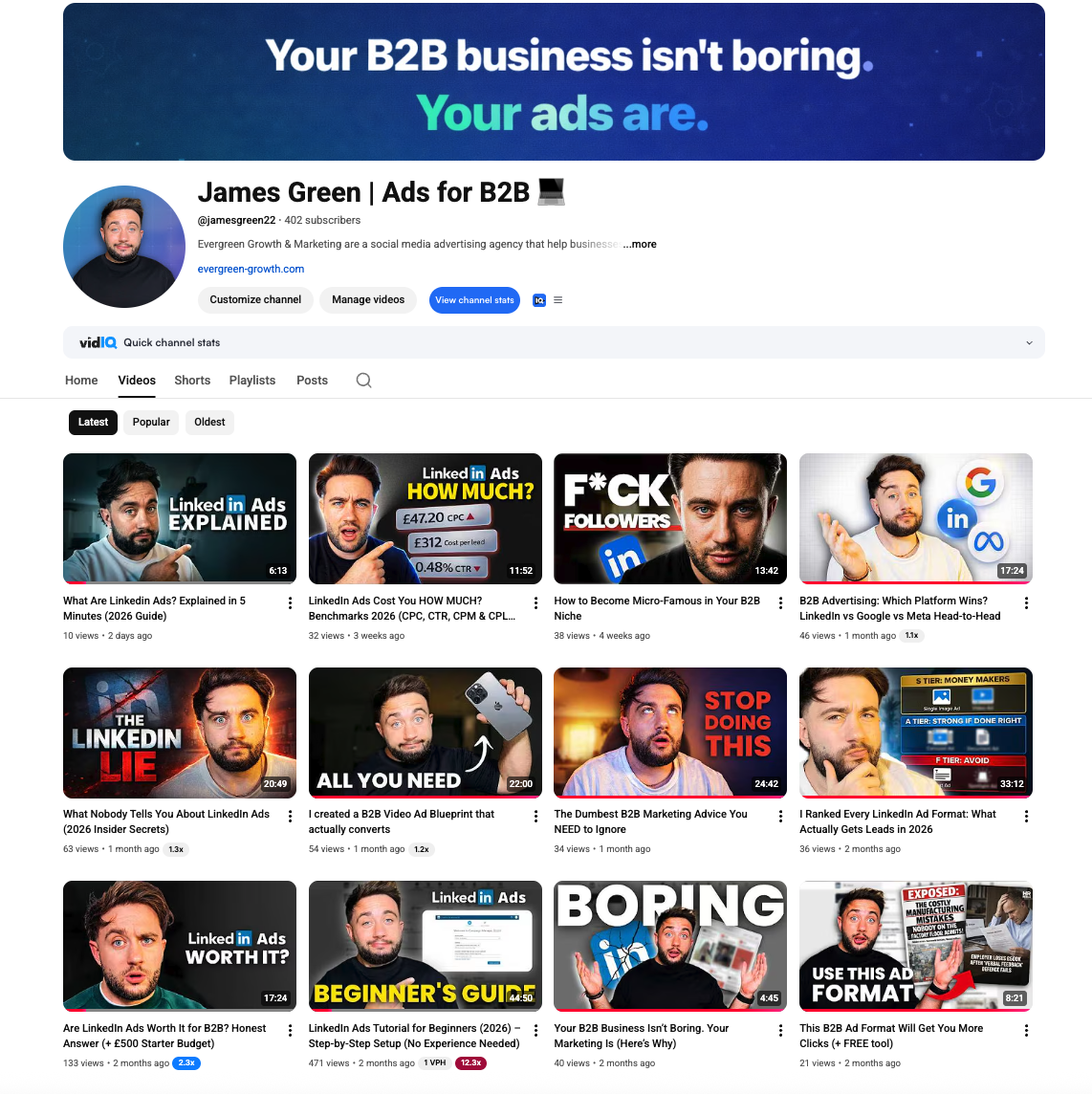
James Green | Ads for B2B
Free B2B advertising tutorials, LinkedIn Ads breakdowns, and creative strategy
Common Questions About LinkedIn Ads
Everything beginners ask before launching their first campaign
Ready to Fix Your LinkedIn Ads Today?
We'll audit your current campaigns and show you exactly where budget is being wasted - for free.
Campaign Audit
We'll check for Audience Network, Audience Expansion, and other budget traps
Creative Review
See if your ads are boring or scroll-stopping compared to best practices
Custom Roadmap
Get specific fixes you can implement today to stop the waste
No obligation - just actionable insights
Want More LinkedIn Strategies?
Discover advanced targeting hacks and campaign strategies for B2B lead generation
Calculate Your Retargeting ROI
See how much revenue you're leaving on the table without retargeting campaigns
Related Tools & Resources
LinkedIn Ads Budget Calculator
Estimate your CPL, expected leads, and break-even deal size
LinkedIn Ads Benchmarks UK 2026
Complete CPC, CPM, CPL data by industry with expert commentary
Tracking Pixels Setup Guide [2026]
Complete guide to LinkedIn Insight Tag, Meta Pixel, and GTM setup